//Luma · Offline Music Player for iPhone & iPadYour music.
On your device.
Forever.
Luma is a free offline music player for iPhone and iPad. It plays your own music collection in lossless quality, fully on-device — FLAC, ALAC, MP3 and more. No account, no cloud, no subscription, no tracking.

FLAC & lossless · Open source · iPhone & iPad
Others want your data.
Luma only wants your ears.
Everything stays on your device. Luma collects no personal data — there is simply nothing to collect. And because Luma is open source, you can check that for yourself.
Lossless. Exactly how it was recorded.
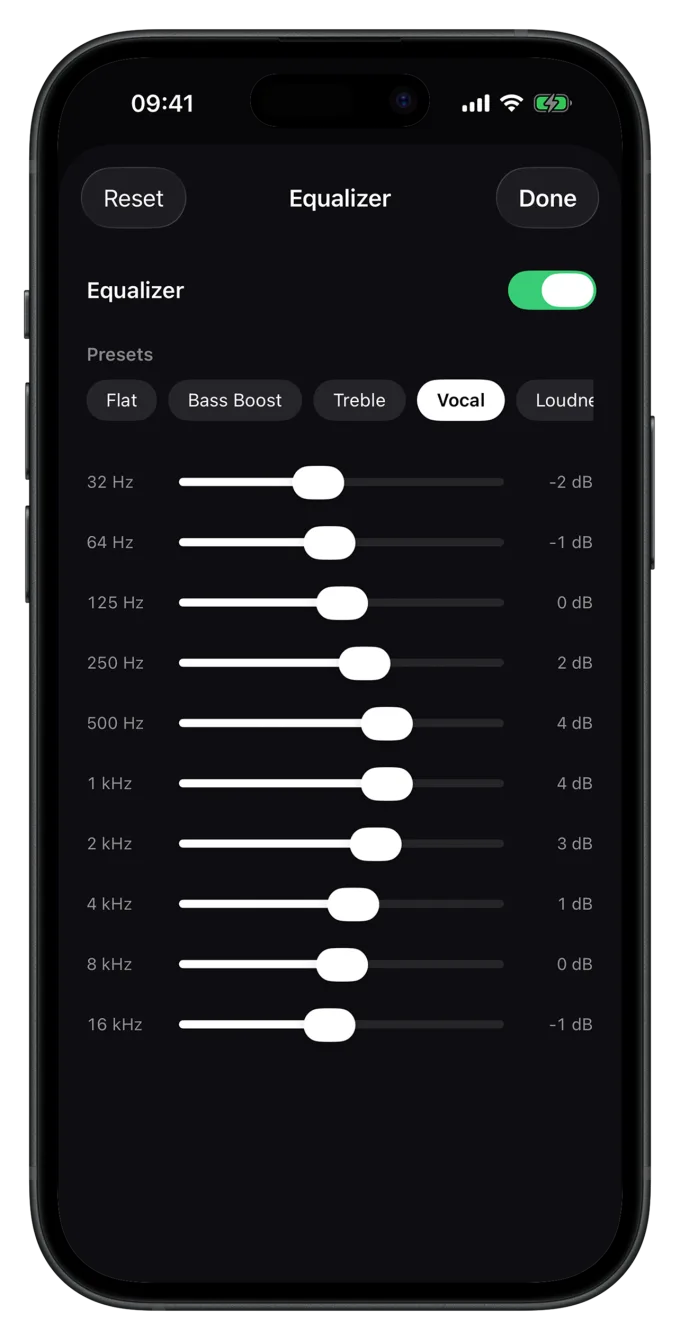
Luma plays your files bit-perfect — FLAC, ALAC and the rest with no conversion and no quality loss. Real hi-fi from your own collection. Gapless playback lets live albums and mixes flow seamlessly into one another, and cross-fade blends tracks gently when you want it.
- True gapless playback — no audible gap between tracks
- 10-band equalizer with presets — or fully off for bit-perfect
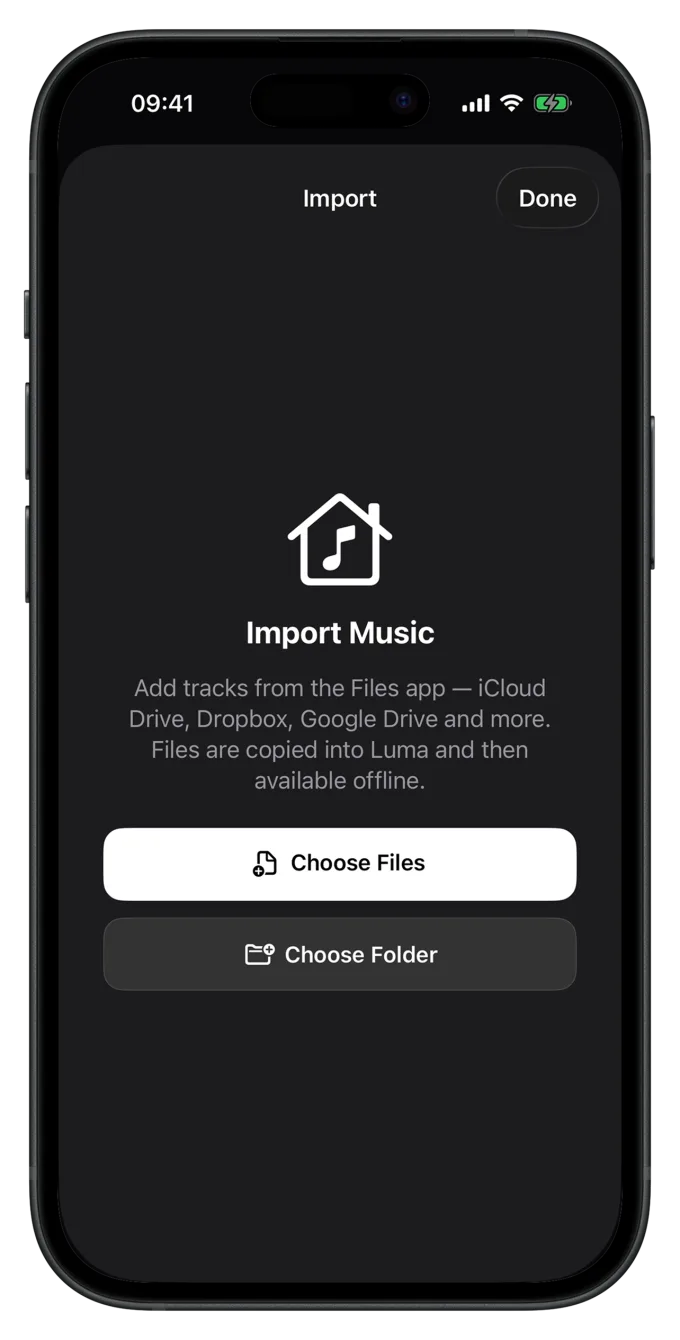
From the Files app into your library.
Individual songs or entire folders from iCloud Drive, Dropbox, Google Drive and more — folders are searched recursively and iCloud files are downloaded automatically. Luma copies everything onto your device. After that: offline.
- 01Open the Files appRight from inside Luma.
- 02Pick files or whole foldersProcessed in parallel — fast even with 1000+ tracks.
- 03Copied into Luma, ready offlineDuplicates are detected and skipped.
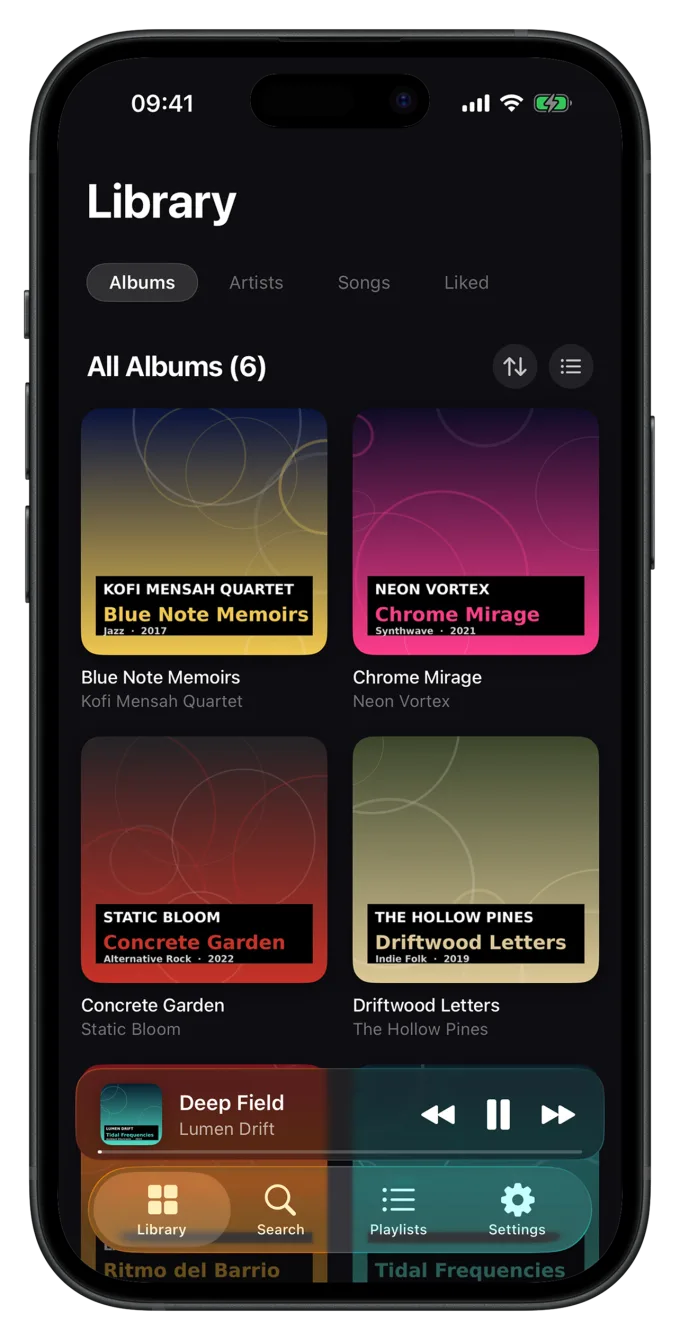
Your collection, sorted automatically.
On import, Luma reads the metadata and organizes everything by artist and album — including correct album-artist handling for featured guests. Albums, artists, songs and liked, sortable by title, artist, year or “recently added”. Full-text search finds titles, artists and albums at once.
- Artist page with the complete discography
- Edit metadata per song: title, album, year, genre
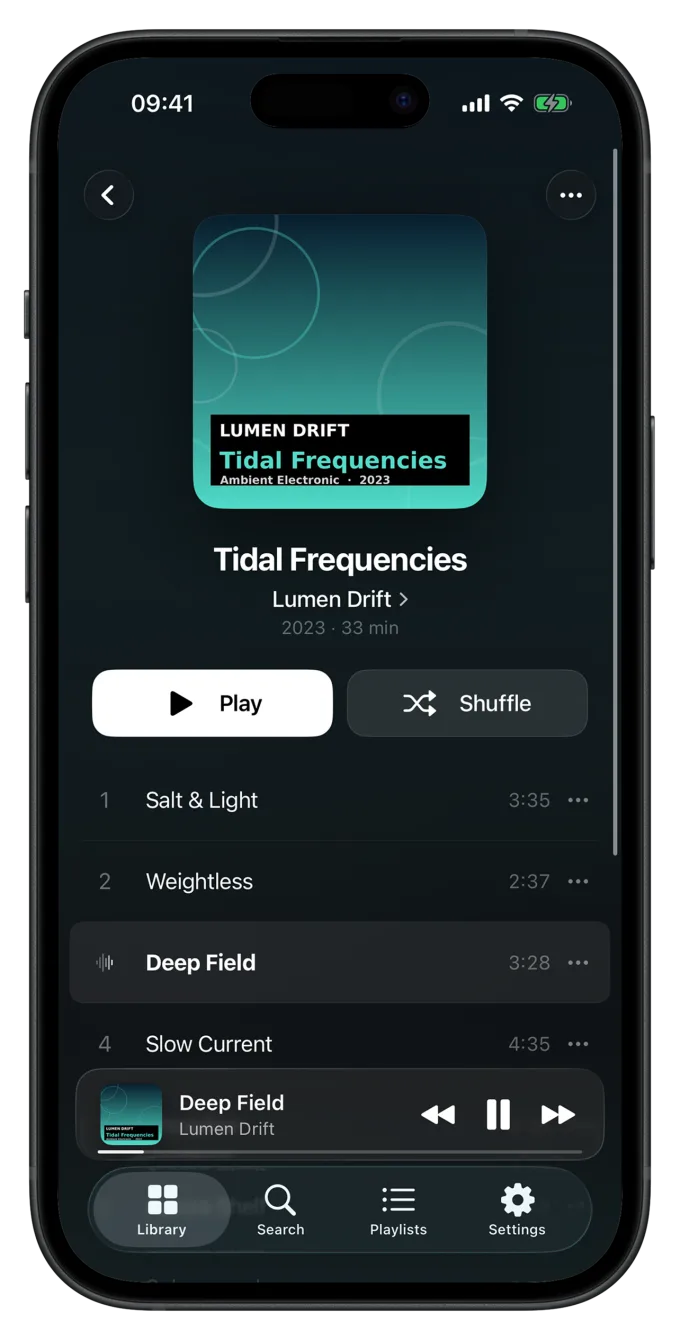
A player that feels expensive.
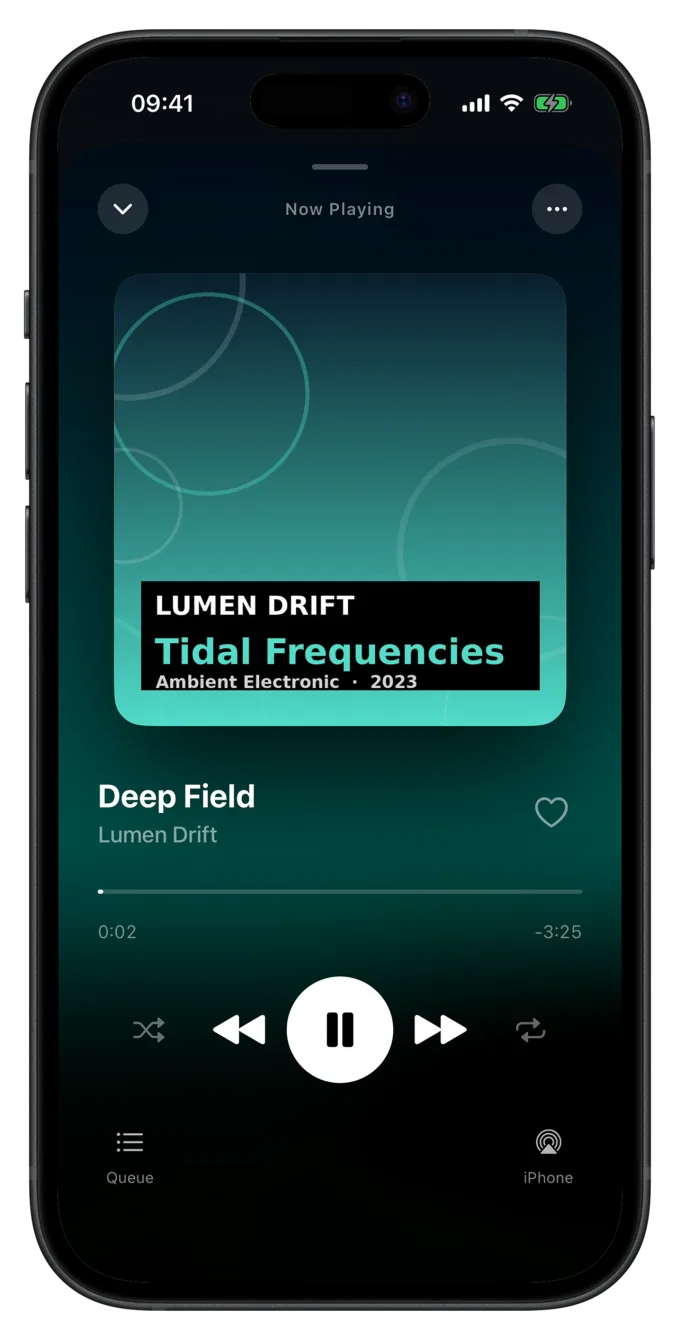
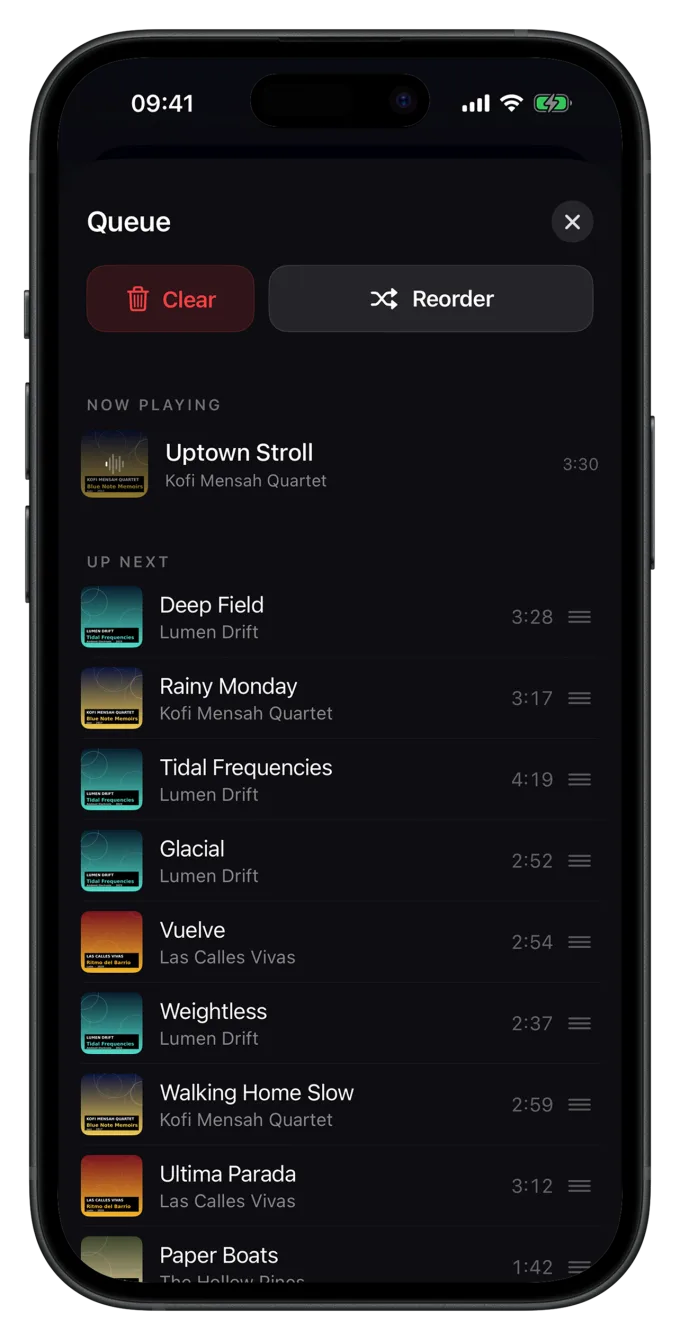
Big artwork, a second-accurate scrubber, shuffle, repeat, like — and the queue always one gesture away, ready to reorder by drag & drop or clear. Next time you open the app, your queue and position are exactly where you left them.
- QueueReorder, “play next”, clear
- Sleep timer5–90 min or until the track ends
- ResumePosition kept across restarts
- AirPlayPick the output device right in the player
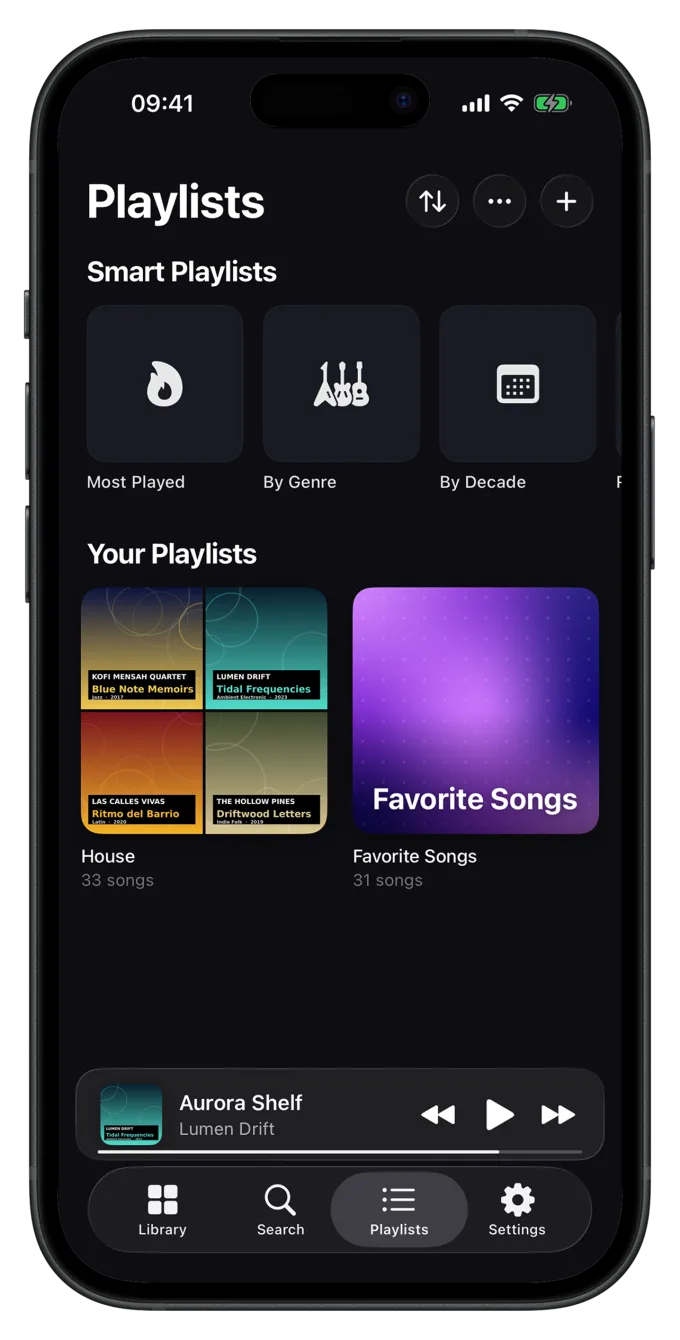
Playlists that write themselves.
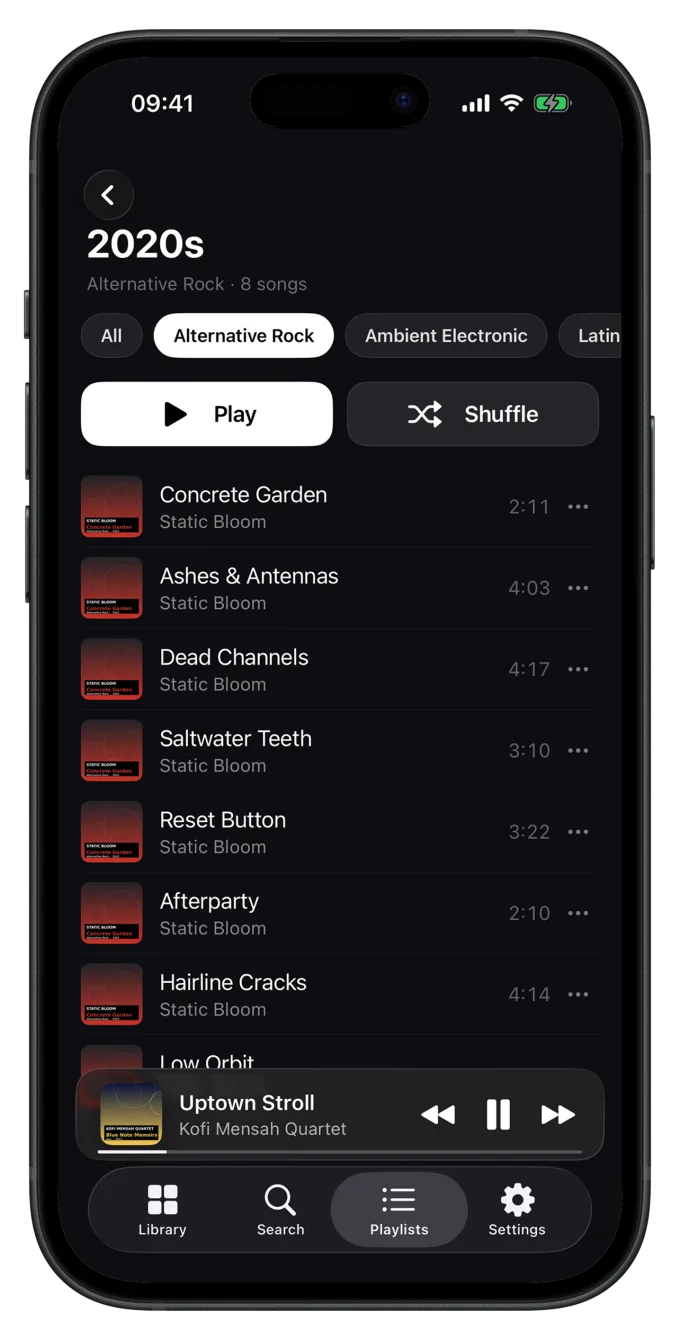
Most played, recently played, recently added, liked — plus lists by genre and decade. All automatic, nothing to maintain. And combinable with filter chips: “Rock from the 80s” is one tap away.
- Show, hide and reorder each list individually
- Filter by genre and decade — multi-select
Your own playlists. Luma builds the covers.
Create, reorder, pin to the home screen, back up and restore. And for every cover, three styles: a mosaic from your tracks, your own photo, or a generated pattern.
Photos are processed in a privacy-friendly way — no photo permission, EXIF and GPS stripped, nothing is uploaded.
What you actually listened to.
Your total listening time, your most-played songs and artists, an overview of your whole library. A play only counts fairly once a track has really been heard — not on a quick tap.
- Time actually heard, not “plays × length”
- Top 10 songs & artists, all on-device only
Everywhere with you — without opening the app.
Control Luma from the lock screen and Control Center, through AirPods and Bluetooth, with Siri, or via AirPlay straight to speakers and other devices. Calls pause automatically, and pulling out your headphones stops playback.
- Lock screenArtwork, title, play/pause/skip
- SiriControl by voice
- AirPodsControl from your headphones
- AirPlayOutput to any device
 Green
Green Graphite
 Light
Light Blue
Blue Violet
- Five app icons and a selectable start view
- Customize the home screen, pin playlists
Coming soon to the Mac, too.
A reference library in the foobar2000 style: Luma links your music folders in place and scans them at launch — with no copies at all. With menu-bar commands, keyboard shortcuts and its own now-playing bar.
Privacy you can read for yourself.
Luma collects no data and sends nothing to any server. What's on your device stays there. And because the entire source code is public on GitHub, you can verify that yourself — instead of just taking our word for it.
- Zero telemetry, no analytics, no advertising IDs
- 100% native Apple frameworks, no third-party dependencies
What is Luma?
Luma is a free, local music player for iPhone and iPad. It only plays music files you own — imported through the Files app, stored on your device, played without an internet connection. Luma is built by Merlin Kreuzkam (suenavus) in Germany.
| Category | Offline music player for your own local music files |
|---|---|
| Price | Free — no subscription, no ads, no in-app purchases |
| Platforms | iPhone and iPad on iOS 26 / iPadOS 26 or later · Mac version in the works |
| Audio formats | FLAC, ALAC, MP3, AAC, M4A, WAV, AIFF, Opus |
| Playback | Bit-perfect, gapless, cross-fade (0–12 s), 10-band equalizer |
| Import | Files app: iCloud Drive, Dropbox, Google Drive and more — files or entire folders |
| Internet | Not required — once imported, everything runs offline |
| Account | Not required — no sign-up, no login |
| Data collection | None — App Store privacy label “Data Not Collected” |
| Source code | Public on GitHub (Miotares/luma-ios) |
| Languages | English, German |
| Version | 1.2 · 3.1 MB · first released June 2026 |
| Developer | Merlin Kreuzkam · suenavus, Voerde (Germany) |
| Download | Luma on the App Store |
Luma compared with streaming apps
| Criterion | Luma | Streaming apps (e.g. Spotify, Apple Music) |
|---|---|---|
| Music | Your own files | A rented catalogue with millions of tracks |
| Cost | Free | Usually a monthly subscription |
| Account | Not required | Required |
| Offline | Always — everything is local | Downloaded tracks only, usually on a paid plan |
| Your own FLAC / ALAC files | Yes, bit-perfect | Not supported or limited |
| Data collection | None | Listening data is typically analysed |
Luma does not replace a streaming catalogue — it is the player for music you own.
Last updated:
Frequently asked questions about Luma.
What is Luma?
How much does Luma cost?
Do I need an account?
Does Luma work offline, without an internet connection?
Which audio formats does Luma support?
Can I play FLAC files on an iPhone?
How do I get my music into the app?
Is Luma an alternative to Spotify or Apple Music?
Is my data collected?
Is Luma open source?
Which devices does Luma run on?
Is there a Mac version of Luma?
Does Luma have an equalizer and gapless playback?
Does the music play in the background and on the lock screen?
Who makes Luma?
Get your music back.
Lossless, offline, no account, no subscription, no ads. Download it free now and keep it forever.
By suenavus — held to the highest standard, in itself and in every product. Uncompromising, down to the last detail.