 Luma
Luma Sound: equalizer, volume, cross-fade
Playback, updated
Three tools shape the sound in Luma. You'll find them all in Settings › Playback, and all of them can be turned off again at any time.
The equalizer
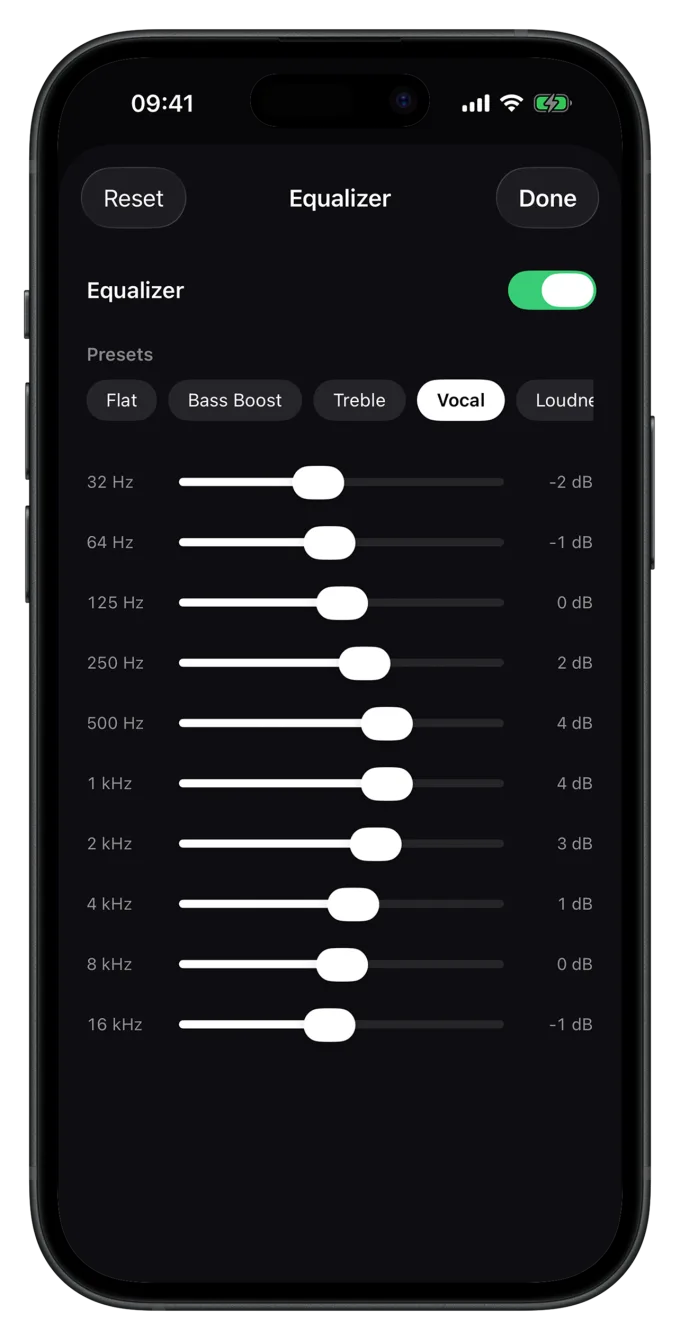
Settings › Playback › Equalizer opens a graphic 10-band equalizer. Each band ranges from −12 to +12 dB.
Presets
| Preset | What it does |
|---|---|
| Flat | No change. Luma then takes the EQ out of the signal path entirely. |
| Bass Boost | Lifts the lows up to about 250 Hz. |
| Treble | Lifts the highs from about 1 kHz, for more air and detail. |
| Vocal | Emphasizes the mids, where vocals and speech sit. |
| Loudness | Lifts lows and highs, good for listening quietly. |
If you move a band yourself, it becomes your own setting. Reset sets everything back to flat.
When the equalizer is off or set to “Flat”, Luma bypasses it completely. Your files then sound exactly as they were recorded.
Normalize volume
Albums from different decades are mastered at different loudness. Without leveling, the volume jumps from song to song. With Settings › Playback › Normalize volume, Luma plays every track at the same loudness. It's on by default.
- Luma measures each song's loudness once in the background and brings them all to a common target level (−14 LUFS, like the big streaming services).
- For a freshly imported collection, the first analysis takes a while. Settings shows how many tracks are still being analyzed. Whatever plays next is measured first.
- Loud songs are turned down, quiet ones are lifted a little, but never so far that they clip.
- The character of the sound stays the same; only the volume changes.
If you want to hear every file at its original level, turn the option off.
Cross-fade
In Settings › Playback › Cross-Fade you set how many seconds two consecutive songs are blended into each other: from 0 (off) to 12 seconds.
- Off (0 s): songs follow each other seamlessly (gapless). Ideal for live albums, classical music and DJ mixes, where the transitions are part of the music.
- 2–5 s: soft transitions for playlists and shuffle.
- 6–12 s: long, radio-style blends.
If you mostly listen to whole albums, leave cross-fade off. For mixed playlists, a 3–4 second blend often sounds most natural.
Still have a question or found a mistake? Email hello@suenavus.com.